Your computer can do it.
Now it does it for you.
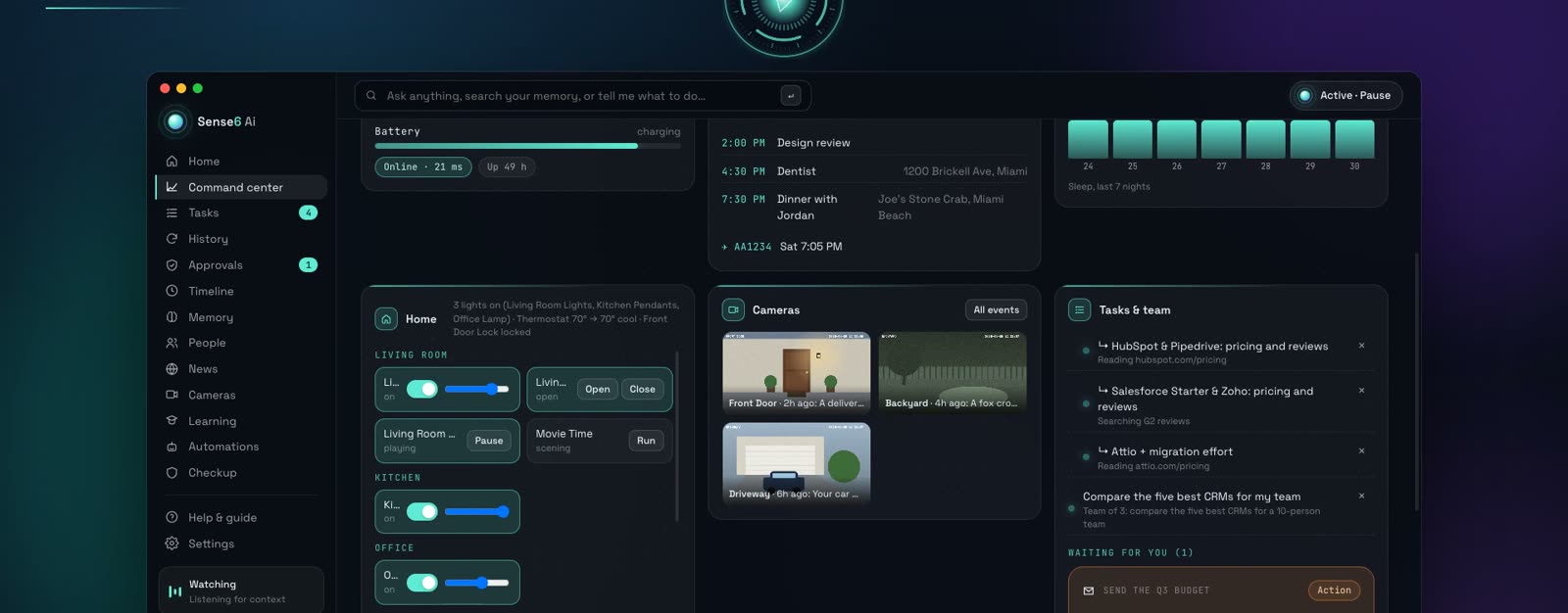
Chat apps tell you how. Sense6 does it: it sees what’s on your screen, remembers your day and works inside the apps you already use, by voice. Your files, your email, your meetings, your home and the web.
Version 1.0.92 · Free for 7 days · AI included, nothing to set up
- What it sees and remembers stays encrypted on your computer
- The AI is included and answers through Sense6, which never stores what you ask
- It asks before anything that sends, spends or can’t be undone
A second user for your computer, built in
Sense6 isn’t a gadget that watches your screen and clicks like a person. It’s built in: it reads your mail, calendar, files and apps directly, uses its own browser, and works in the background without taking over your mouse and keyboard.
One task, across your apps
- An email asks for a meeting.
- Sense6 checks your calendar and finds a free time.
- It drafts the reply and a calendar invite.
- You approve.
- The reply is sent and the invite goes out.
Away mode: it keeps working while you’re away
Five minutes. Twenty things you’ll stop doing yourself.
Why Sense6 instead of the AI you already use?
Chat assistants are great at answers. Sense6 lives on your computer, so it can act.
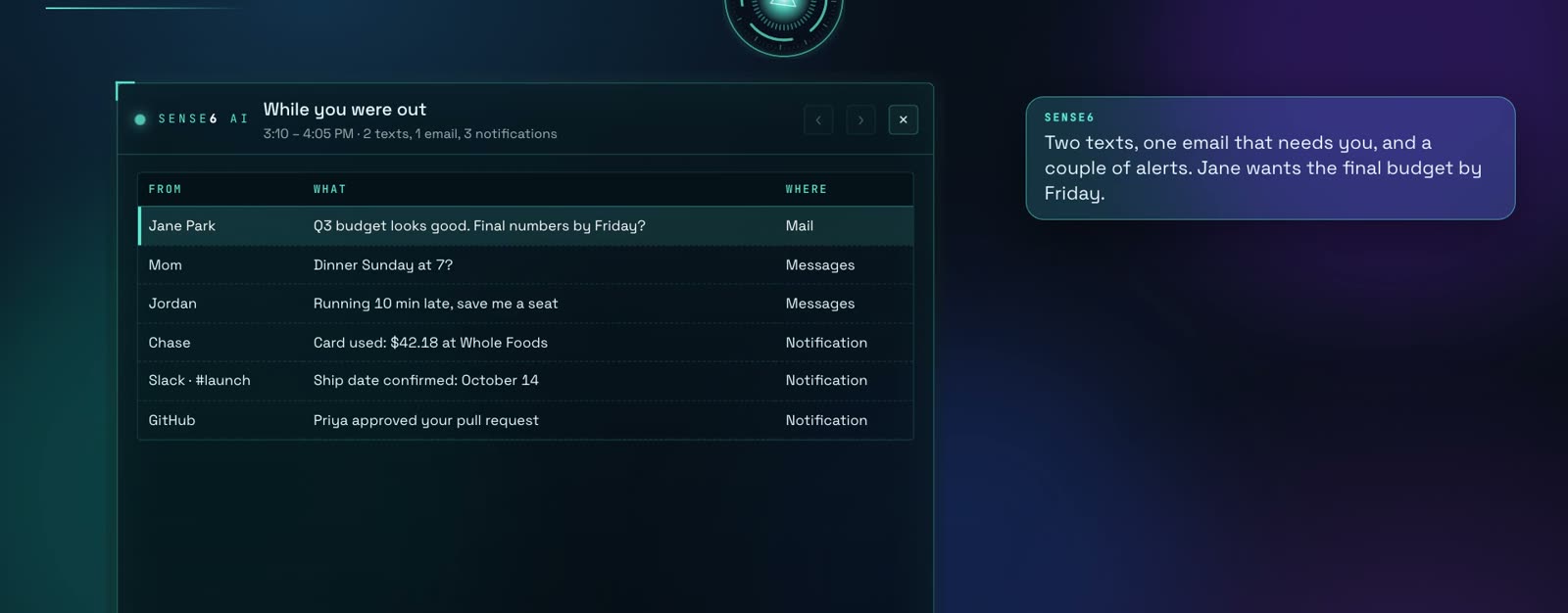
“What did I miss?”
Unread texts, email and every app’s notifications since you stepped away, in one table on your screen, and the gist out loud. What needs you comes first.
- Messages, Mail and every app’s notifications
- Only what’s new since you were away
- Answers by voice, shows the details
Replies in your voice. Nothing sends without you.
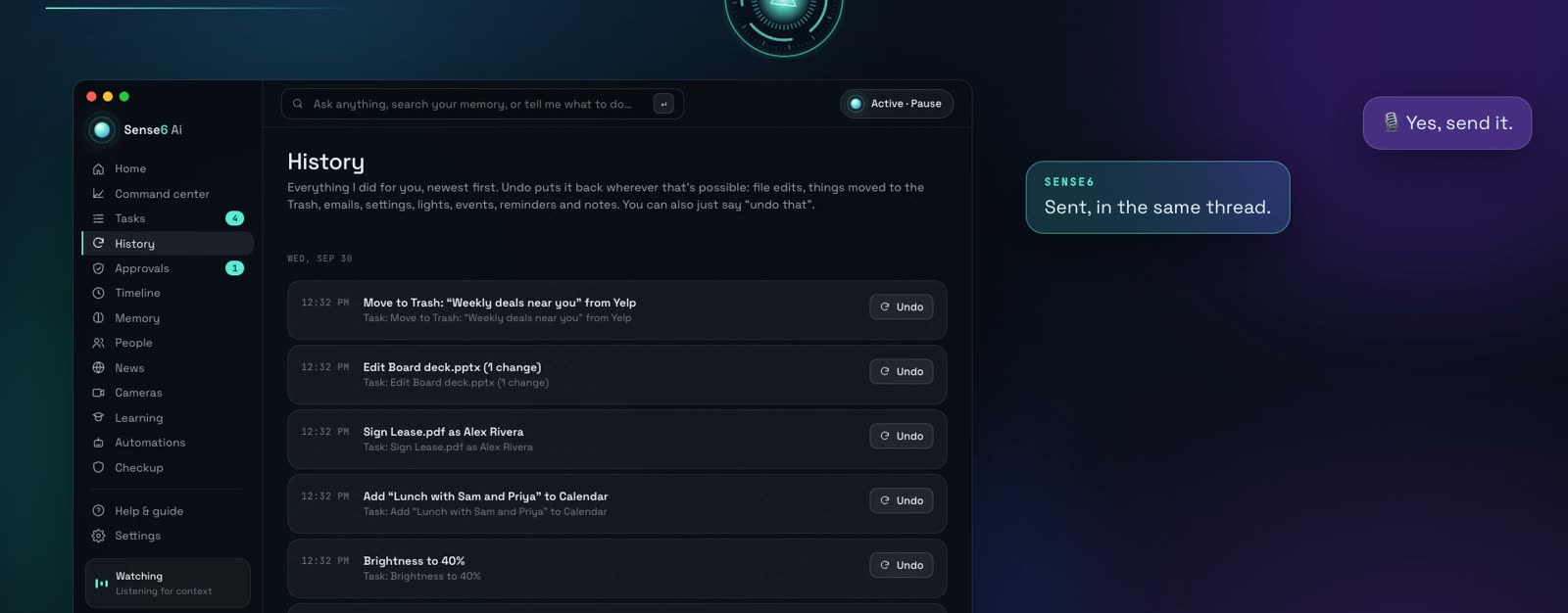
Reply, reply all or forward in the same thread, text anyone in your contacts, post where you ask. Anything that sends, spends or can’t be taken back waits for your OK, and almost everything else can be undone from History.
- Approve with a word, a click or a tap on your phone
- Approve all when you trust it
- One-click Undo in History
Fills in the form. Signs it. Adds the slide.
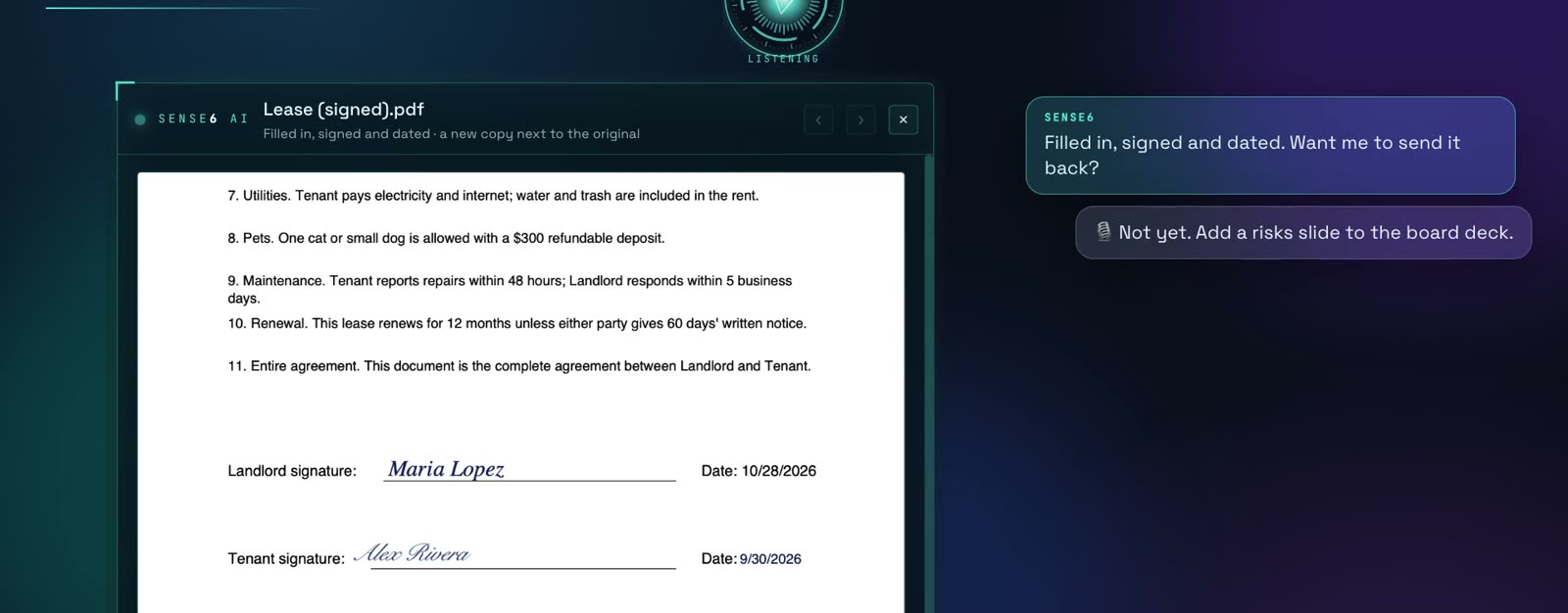
Word, Excel, PowerPoint and PDFs: create them, change them, fill in forms, sign and date them, highlight, split and merge, and read scanned pages. It shows you the result before you send it.
- Signs in your handwriting, on the right line
- Edits your decks in their own style
- Reads scanned PDFs on your computer
No menus. No clicking.
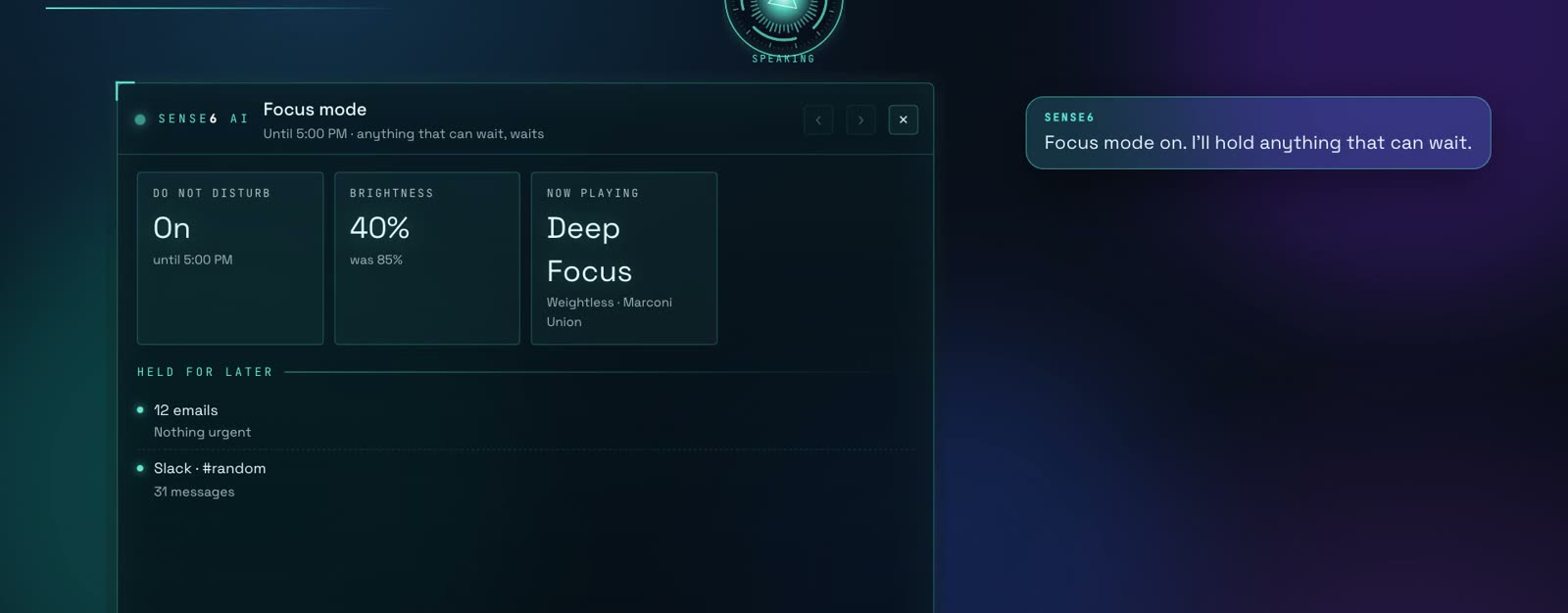
Do Not Disturb, brightness, volume, Wi-Fi and dark mode; Music and Spotify; Photos; printing and screenshots. Say “focus time” and it sets everything at once.
- Settings, music and photos by voice
- Prints Word, Excel and PDFs
- Changes can be undone
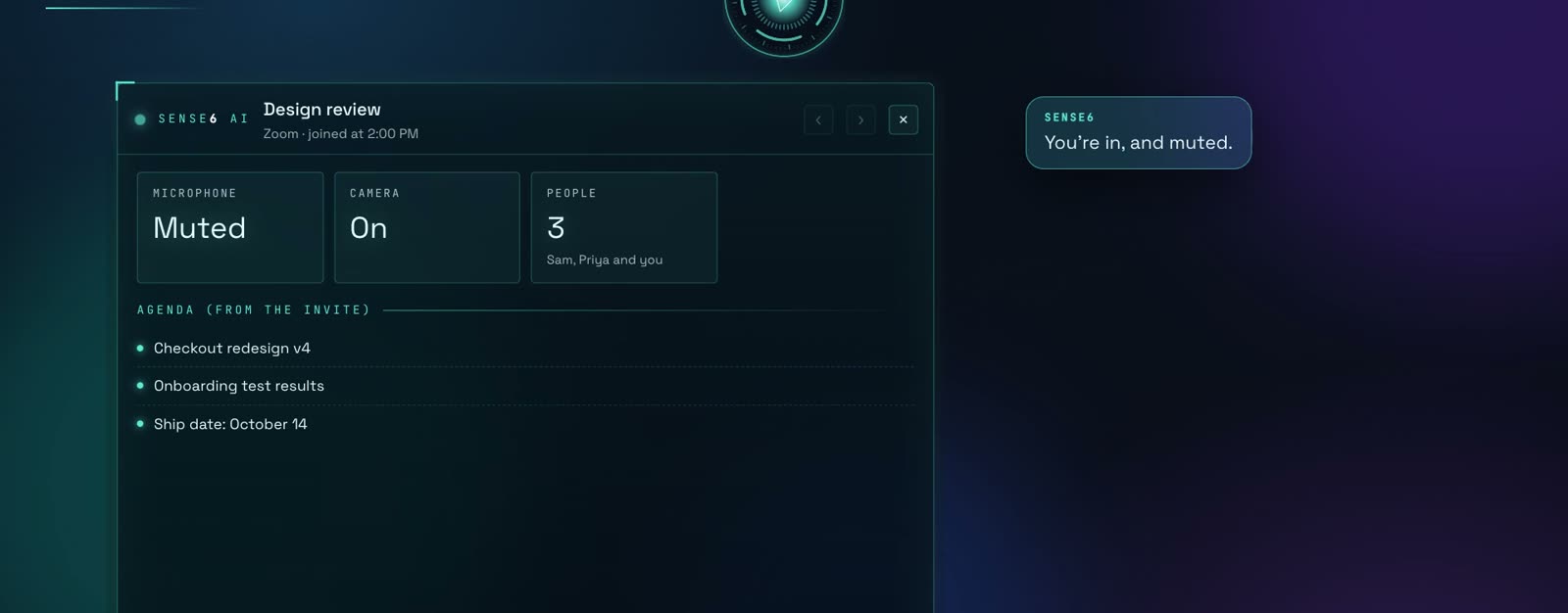
Joins the call. Mutes you. Invites the team.
It finds the link in your calendar and joins Zoom, Teams, Google Meet or FaceTime; books, moves and cancels events; invites people and answers invitations.
- Mute, camera and leave by voice
- Invitations and replies, handled
- Knows when to leave and the weather on the way
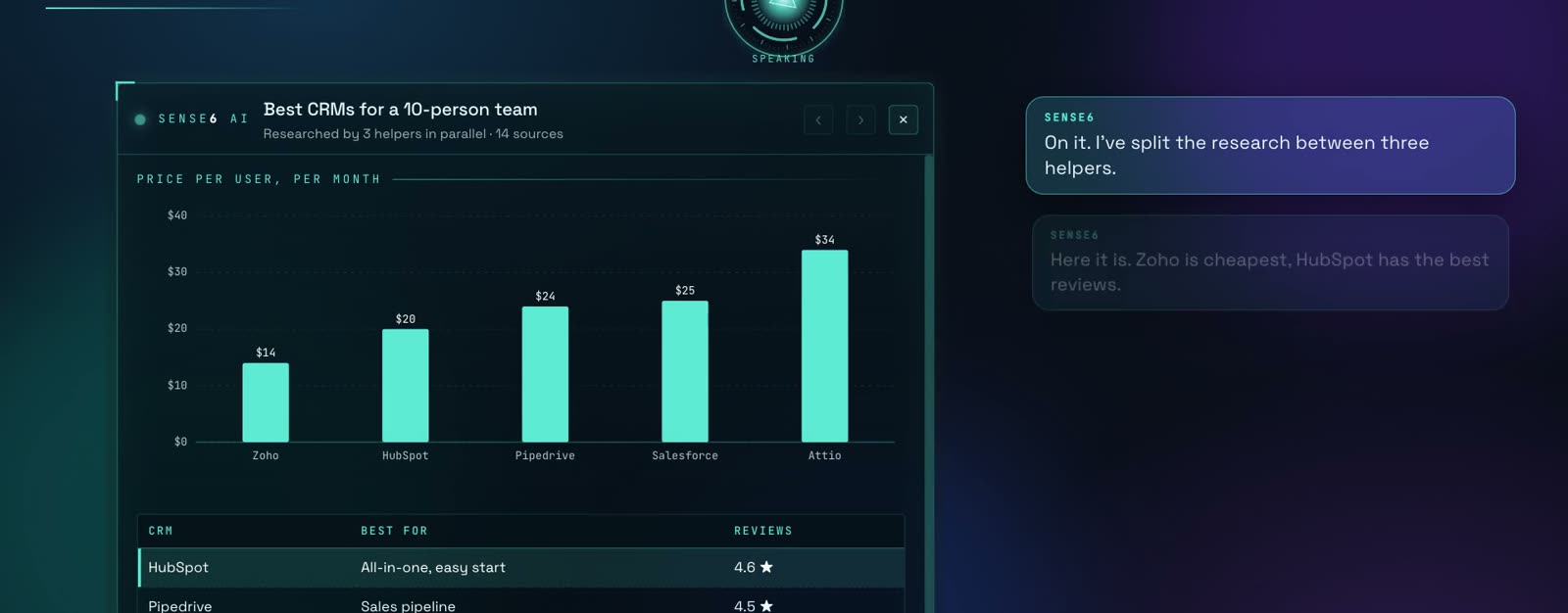
Big jobs get a team.
Ask for research and it splits the work between helpers that run in parallel, then puts it together: a comparison, a chart, a spreadsheet or a deck. Several tasks run at once.
- Helpers research in parallel
- Results as tables and charts
- Spreadsheets and decks, ready to share
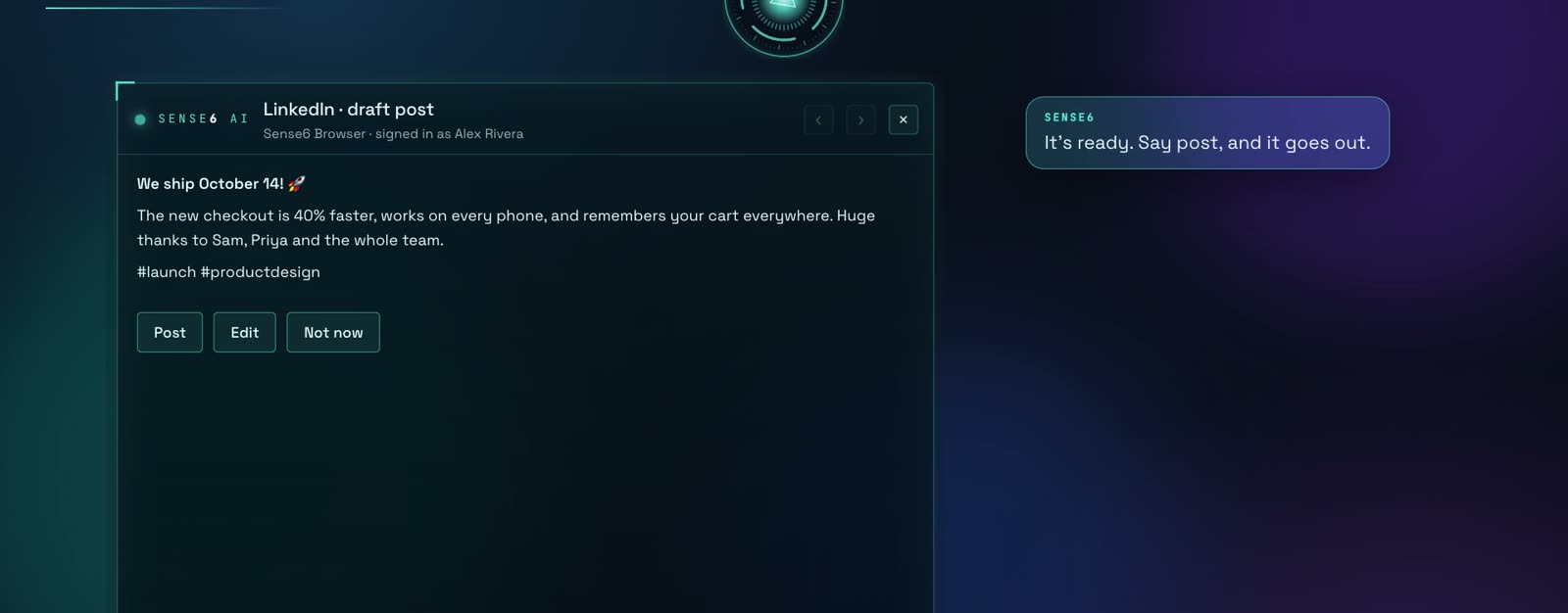
Sign in once. It uses any website for you.
Sense6 has its own browser. Sign in once and it stays signed in, so it can work on any site for you, from Facebook groups to admin panels. Public posts always wait for you.
- Stays signed in to your sites
- Drafts first, posts when you say
- Your own browser too, when you ask
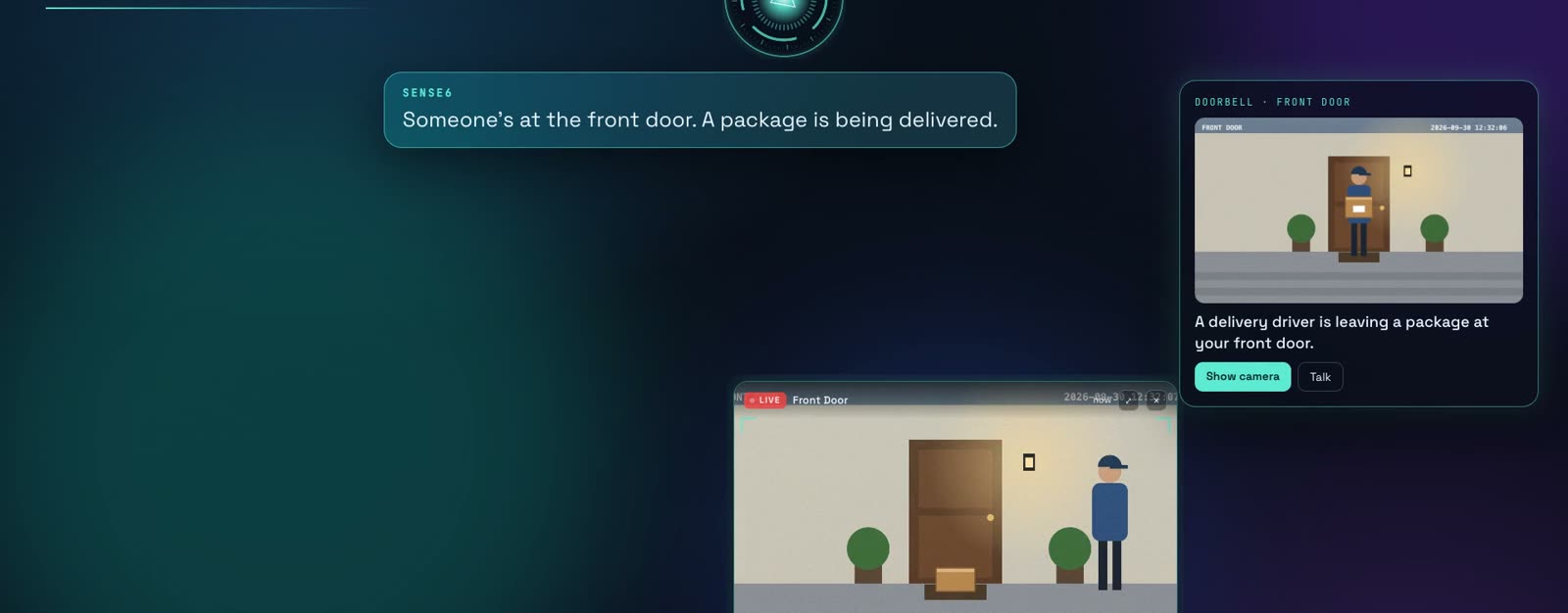
Knows who’s at the door.
Lights, climate, locks and scenes through Home Assistant and Apple Shortcuts. Cameras that understand what they see, pop up when it matters and tell your phone when you’re away.
- Home Assistant, Ring and network cameras
- Locks and garage doors always ask
- Every camera event described in words
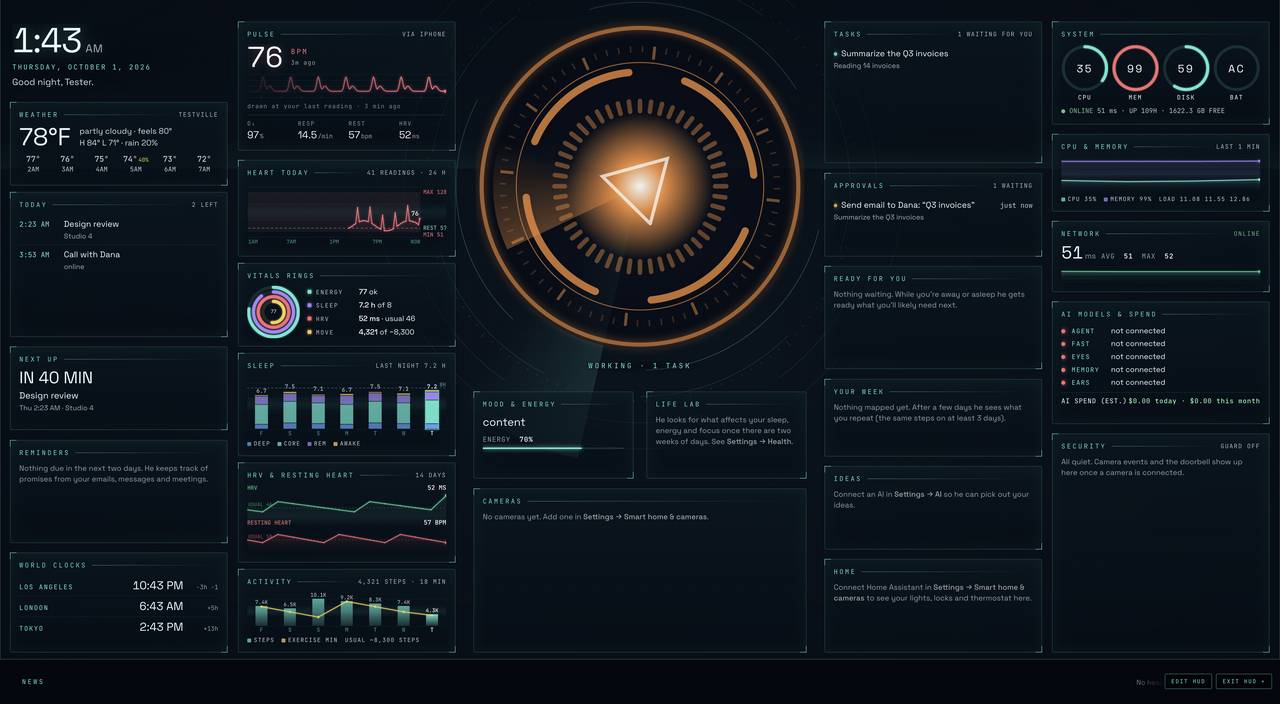
Everything, at a glance. Your vitals too.
The Hub shows your day, your home, your cameras, your health, your computer and everything Sense6 is working on. Or go full screen with the HUD: your heart rate live from your phone or watch, sleep and recovery, your day, your home and what Sense6 is doing, in widgets you arrange. Keep working right through it.
- Your pulse, sleep and HRV, Iron Man style
- 33 widgets you move, resize, add and remove
- Always up to date: new versions install themselves
In your pocket, and on every computer.
Talk to it from the iPhone app, approve with a tap, text it from Messages or Telegram, and link your Macs and PCs into one brain.
- iPhone companion
- Messages and Telegram
- One brain across your computers

Approve with a button on your desk or your wrist
Sense6 asks before anything that sends, buys, deletes or posts. Say yes from your Stream Deck, your Apple Watch or your iPhone.
Anything that can’t be undone still needs a click on its card on the computer.
Press a key. Turn a knob. Sense6 does it.
The Sense6 Ai plugin puts 38 actions on your Stream Deck: talk, approve, check your day, dim the lights, start a focus session. Every key is drawn live, so it shows what Sense6 is doing right now.
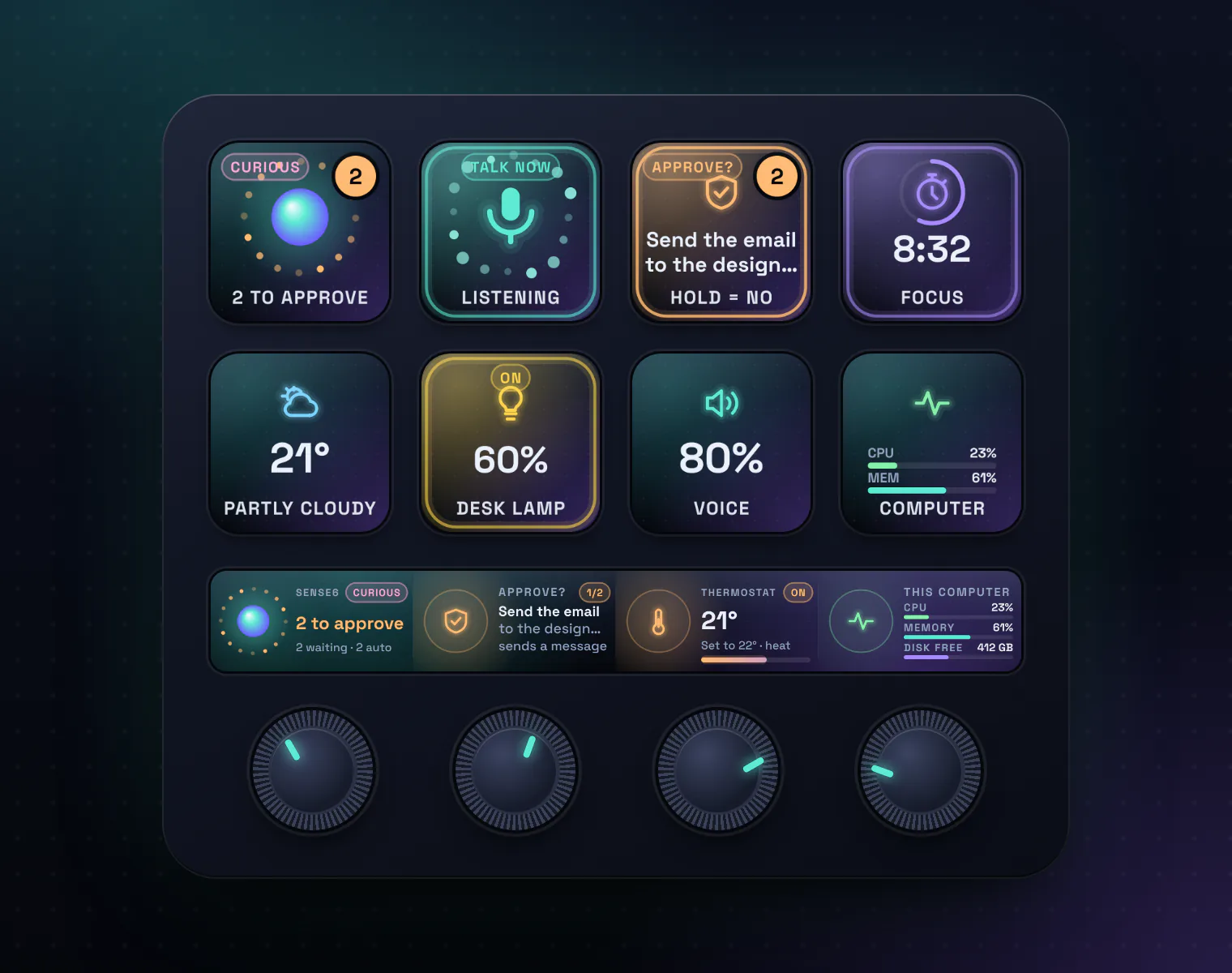
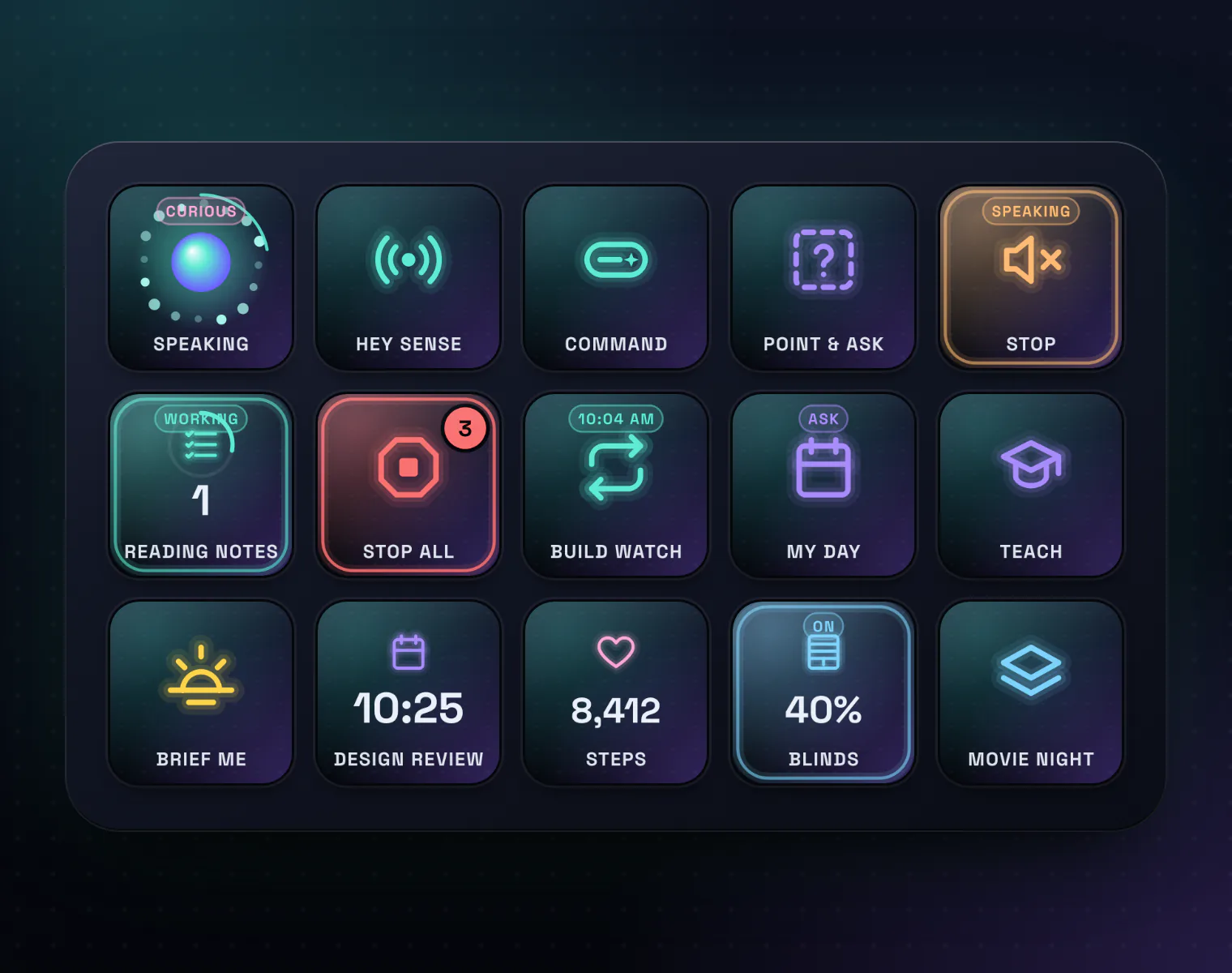
The keys and the strip are the plugin’s own live drawings; the decks around them are illustrations.
A key for everything Sense6 does

- Hold to talk, or tap and just speak
- Stop Sense6 mid-sentence
- Voice volume and mute
- Talk modes: press to talk, “Hey Sense” or open talk
- The command bar and point and ask
- Captions and spoken tips

- Your morning brief and daily recap, now
- Your next meeting, at a glance
- Weather, health and the top story; press and Sense6 says it
- What your AI has cost today
- A computer check with live CPU and memory
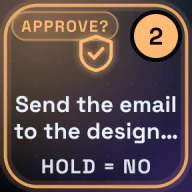
- Press to approve, hold to say no
- How many things are waiting, on the key
- Tasks with the step they’re on; hold to stop one
- Stop everything
- Run or pause an automation

- Lights, with their brightness
- Speakers, thermostats, blinds and scenes, through Home Assistant
- A live picture from a camera; hold and Sense6 tells you what it sees
- Guard mode and locking the computer
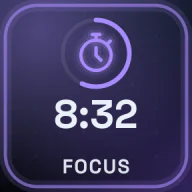
- A focus session with a countdown ring
- Tips wait until it ends
- Snooze tips for a while
- How much Sense6 speaks up: eager, balanced or quiet
- Its personality

- Your own request on a key: a question, a task or words to say
- Your Apple Shortcuts (Mac)
- Teach Sense6 a skill by doing it once
- Any page of Sense6 Ai, the HUD, the command center, settings and help
The knobs: turn it, and watch it change.
On a Stream Deck +, every Sense6 action also works on a dial. Its part of the touch strip shows the live value while you turn: louder, brighter, warmer, longer.
Sense6Turn: voice volumePush: talk
Desk lampTurn: brightnessPush: on or off
ThermostatTurn: temperaturePush: on or off
FocusTurn: minutesPush: start or stop
Swipe the strip to turn the profile’s pages.
Get it in a minute
- In Sense6 Ai, open Settings → Stream Deck and click Install.
- Stream Deck asks first. Say yes.
- The Sense6 Ai profile comes with it, four pages ready to use: Sense6, Voice, Day and More. Change any key, or drag in the ones you want.
Elgato and Stream Deck are trademarks of Corsair Memory, Inc. Sense6 Ai works with them and isn’t made or endorsed by Corsair.
Things no assistant has done before.
An assistant that lives on your computer knows your work, your day and your home. Here’s what that makes possible, always asking before anything that matters.
It answers the people who message you.
Turn it on and Sense6 answers people who text you on iMessage and Telegram as your AI assistant: it helps them, books meetings within your rules and tells each person only what you allowed for them, by text or by voice.
- Rules for each person: what it may tell them and when it may book
- Always says it’s your AI assistant, never pretends to be you
- Anyone can ask for you, and the chat comes straight to you
- Anything that commits you waits for your OK
- Answers voice notes, and replies by voice when you like
- Every conversation in one log, with what it did
One assistant for your whole computer.
Sense6 in your pocket.
The Sense6 Ai companion for iPhone and Android makes your phone the other half of your assistant. It hears you, knows your day and your health, and puts everything Sense6 does on your computer one sentence or one tap away.
How it works with your computer
- Pair once by scanning a code on your computer. No account.
- Your phone talks straight to Sense6 Ai on your computer over your Wi-Fi, and through our relay anywhere else. It’s end-to-end encrypted, so we can never read it.
- Away from home, over cellular or any network, it keeps working: talk to Sense6, approve its actions, and your day keeps reaching your computer.
- The tasks, tables and charts Sense6 made on your computer, right on your phone.
- You choose what it may read in your phone’s settings, and can stop anytime.
Your computer. Your data. Your rules.
AI included. Nothing to set up.
Pick a plan and Sense6 is ready: no AI accounts to sign up for, no keys, no models to install.
The AI in each plan
- Essential: DeepSeek V4.1 Flash for tasks
- Pro: Claude Sonnet 5 for tasks
- Max: Claude Opus 5.5 for tasks
Speech recognition runs on your computer: Apple’s on a Mac, an open speech model on Windows and Linux.
Free for 7 days. Then the plan that fits.
The app and its AI in one price, with nothing to set up. Every upgrade, on up to 3 of your computers.
Essential Launch price
AI included, with fast open models
- TasksDeepSeek V4.1 Flash
- Background workOn your computer
- Reading the screenGLM 5.3 Flash
- Each monthAbout 3 hours of active use a day
Sense6 does your tasks with DeepSeek V4.1 Flash, a fast, low-cost open model, and does its background work (glances, tips, sorting email) privately on your computer. No keys, no setup.
- AI included: no keys or accounts to set up
- Tasks on DeepSeek V4.1 Flash, a fast open model
- Background work stays on your computer
- Good for everyday tasks, email and documents
Background work stays on your computer. Your requests go through Sense6 to Fireworks AI and OpenAI to be answered, and Sense6 never stores them.
Pro Launch price
Claude Sonnet 5 for your tasks
- TasksClaude Sonnet 5
- Background workOn your computer
- Reading the screenClaude Sonnet 5
- Each monthAbout 3 hours of active use a day
Sense6 does your tasks with Claude Sonnet 5, one of the best models at using a computer and getting multi-step work done, and keeps its background work private on your computer.
- AI included: no keys or accounts to set up
- Tasks on Claude Sonnet 5: excellent at multi-step work and using apps
- Background work stays on your computer
- The best fit for most people
Background work stays on your computer. Your requests go through Sense6 to Anthropic and OpenAI to be answered, and Sense6 never stores them.
Max Launch price
Claude Opus 5.5 for the hardest work
- TasksClaude Opus 5.5
- Background workClaude Haiku 4.5
- Reading the screenClaude Opus 5.5
- Each monthAbout 4 hours of active use a day
Sense6 does your tasks with Claude Opus 5.5, Anthropic’s most capable Opus model, and does its background work with Claude Haiku 4.5 in the cloud, so glances and tips are sharper and your computer stays light.
- AI included: no keys or accounts to set up
- Tasks on Claude Opus 5.5: the most capable, for long and difficult work
- Background work on Claude Haiku 4.5, in the cloud
- The biggest monthly allowance
Your requests go through Sense6 to Anthropic and OpenAI to be answered, and Sense6 never stores them.
7-day free trial, no card needed · Every upgrade included · Up to 3 computers · Cancel anytime
Launch prices: join now and keep yours for as long as you stay subscribed. New customers will pay more later. In US dollars. Already bought? Manage your license
Get Sense6 Ai.
Version 1.0.92. Free for 7 days, then a plan from $20 a month.
Opening it the first time on a Mac
Open the installer and follow the steps. If macOS says it can’t check the app, open System Settings → Privacy & Security and click Open Anyway. The first time Sense6 starts, it asks for the permissions it needs (screen, microphone, accessibility) and walks you through the rest.
Opening it the first time on Windows
If Windows shows “Windows protected your PC”, click More info, then Run anyway. Sense6 then walks you through the rest.
What people ask about Sense6 Ai
Can Sense6 answer messages from other people?
Yes, when you turn it on. It answers people who message you on iMessage, and on Telegram through Telegram Business (which needs Telegram Premium), as your AI assistant. You choose who it answers, what it may tell each person and whether it may book meetings with them. It always says it’s your assistant, never pretends to be you, and anyone can ask for you instead.
Is there a phone app?
Yes: the Sense6 Ai companion for iPhone and Apple Watch is in beta on TestFlight (join from the link in Companion apps above), and Android is coming soon. Talk to Sense6 and approve its actions from your phone, and it brings your day and your Apple Health or Health Connect summaries to your computer, end-to-end encrypted: straight over your Wi-Fi, or through our relay when you’re away, which can never read it.
What does Sense6 Ai cost?
It’s free for 7 days, no card needed. Then choose Essential, Pro, or Max, from $20 a month: one price for the app and its AI, with nothing to set up. Every upgrade is included, on up to 3 of your computers.
Do I need my own AI account or API key?
No. The AI comes with your plan: nothing to sign up for, no keys, nothing to install. Each plan says which AI it uses and how much a month covers.
What happens when the free trial ends?
Sense6 Ai asks you to choose a plan to keep using it. Buy it monthly or yearly from the app or from this page, and the key we give you activates it.
Which computers does it run on?
Macs with Apple silicon or Intel (macOS 13 or later), Windows 10 and 11, and Linux. Some abilities, like Messages, Apple Mail and Photos, are Mac-only.
Is my data private?
Yes. What it sees and remembers is stored encrypted on your computer. Your requests go through Sense6 to your plan’s AI to be answered, and Sense6 keeps only counts, never what you ask. Background work can run on your Mac itself.
Will it do things without asking?
Only what you allow. By default it asks before acting; you can let it do everyday things on its own while it still asks before anything that sends, spends or can’t be undone.
How does it update?
New versions install themselves when you say so, on every computer you use.
Stop doing everything yourself.
Download Sense6 Ai and just ask. The AI is included.